
Flipdoo Publisher V1.4
A new Update of Flipdoo Publisher is now available.
News on v 1.4
 Direct MS Office and OpenOffice import
FTP Upload after publishing
Windows 8 support
Application GUI re-design
Some Bugs fixed and fully improved
Key Features
PDF to Flash converting with ready-to-use player
Web ready export
Full screen, windowed and compact player support
Paging controls with forward, back, first, last
Download, Print, Fullscreen and Pageoverview controls
Thumbnail views of pages
Publishing with one Button-Click for online & offline use
Auto-Play support - automatically flipping pages
Free configurable loading Logo-Image on pages
Flipping right to left for asian publications
Infobox for descriptions, links etc..
Sharing on Email, Facebook, Twitter..
Export as Kiosk.exe including "Close" Button (optional)
Export for Mac
Tool Tips
Potential targets
 Tutorials, Manuals, Handbooks
Magazines, E-Books, Brochures
Picture Books and Photo Albums
Flyer, Scrap Books and Reports
Menus and Sales Offers
And much more!
Working Demo
View this Flipdoo Publisher working Demo to see how easy is to make your Flipdoo Book in a few steps.
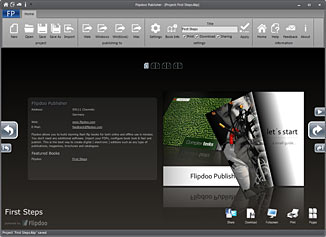
Flipdoo Publisher is really simple and straightforward. You work within a single window. You can importing a PDF and live preview for configuring your book. Flipdoo Publisher allows you to create new Flipdoo-Books and modify existing ones by importing various PDF documents. You can publish a singleFlipdoo-Book for both online and offline use. Download Trial
Buy Now
Flipdoo Publisher
- don�t have limitations of Trial Version
- no watermark and copyright link into pages
Requirements
Windows
Make a Flipdoo with MS Powerpoint
View this Flipdoo Publisher working Demo to see how easy is to make your Flipdoo Book with MS Powerpoint.
Make a Photo Book
View this Flipdoo Publisher working Demo to see how easy is to make your Photo Book with MS Powerpoint and Flipdoo Publisher.
